RCWeb Flappy Control App
The RCWeb Flappy Control App (app/flappy-control) is the companion remote control application designed specifically for the Flappy Birds arcade simulation. Following the Asymmetric Pattern, this lightweight app acts strictly as an input device for a shared multiplayer screen.
Icon

Screenshot
What it does
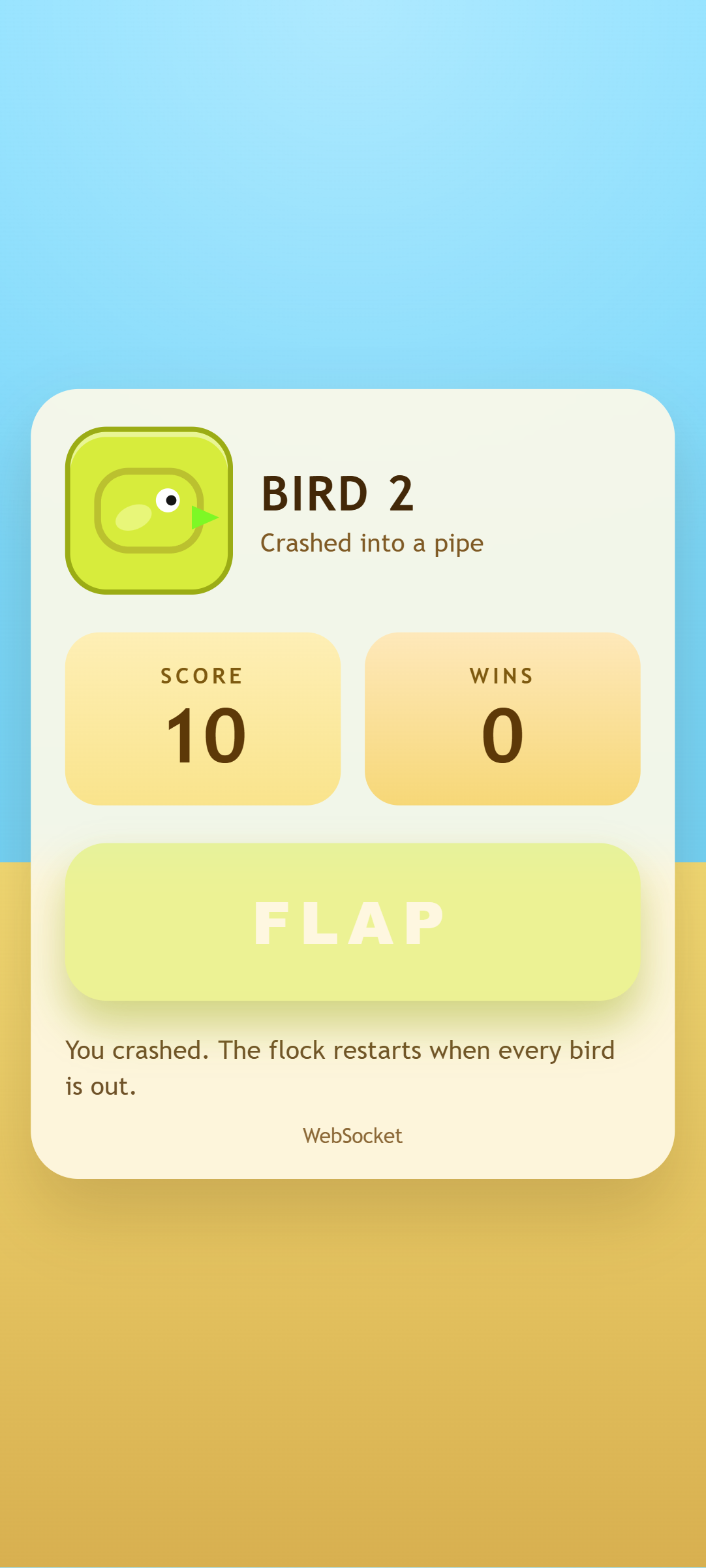
- Instant Join: Opens with a "Join" screen. Once engaged, it instantly allocates the user into the main gameplay screen and updates its local UI colors to match their newly assigned bird character perfectly.
- One-Button Gameplay: Replaces the entire phone screen with a giant flap button. Tapping the button, touching the screen, or pressing Space/Arrow Up immediately triggers the remote bird to flap.
- State Reflection: Tracks the alive/dead status of the bird on the main screen. If the bird crashes, the app disables the flap button, turns red, and notifies the user that they must wait for the next round.
- Haptic & Audio Feedback: Upon crashing, the phone vibrates (if supported by native hardware) and plays a localized synthetic audio chime to immediately communicate the outcome without looking at the main screen.
How it works
The controller strictly relies on rc.sendFunctionCall to forward input payloads, eliminating the need to continuously send stringified JavaScript blocks.
- Joining the Flock: When unassigned, tapping triggers
rc.sendFunctionCall("flappy", "flappy.joinAndFlap", rc.client). The mainapp/flappyengine responds by calling backflappyControl.onAssignedBird(bird)natively on the controller with the bird's profile data (name, color structure, stats). - Flapping: Once assigned, interacting with the screen fires
rc.sendFunctionCall("flappy", "flappy.flap", rc.client). Local feedback includes triggeringnavigator.vibrate(35)for a tactile response. - Receiving Callbacks: The app exposes several explicitly public methods (
onAssignedBird,onScoreUpdate,onStateUpdate,onRemovedBird) that the primary Flappy application invokes over WebSockets to synchronize the score and life values backward to the controller's UI. - Audio Synthesis: The crash sound effect relies entirely on manipulating the Web Audio API natively (
audioCtx.createOscillator()), rather than downloading staticmp3files, to ensure the app loads instantaneously over LTE connections.