RCWeb Viewer
The RCWeb Viewer (app/v) is designed to be the main display client in an RCWeb room. It is meant to be run on a shared display, such as a TV, projector, monitor, or kiosk browser, and waits for commands from a controller app like v-c.
Screenshot
Overview
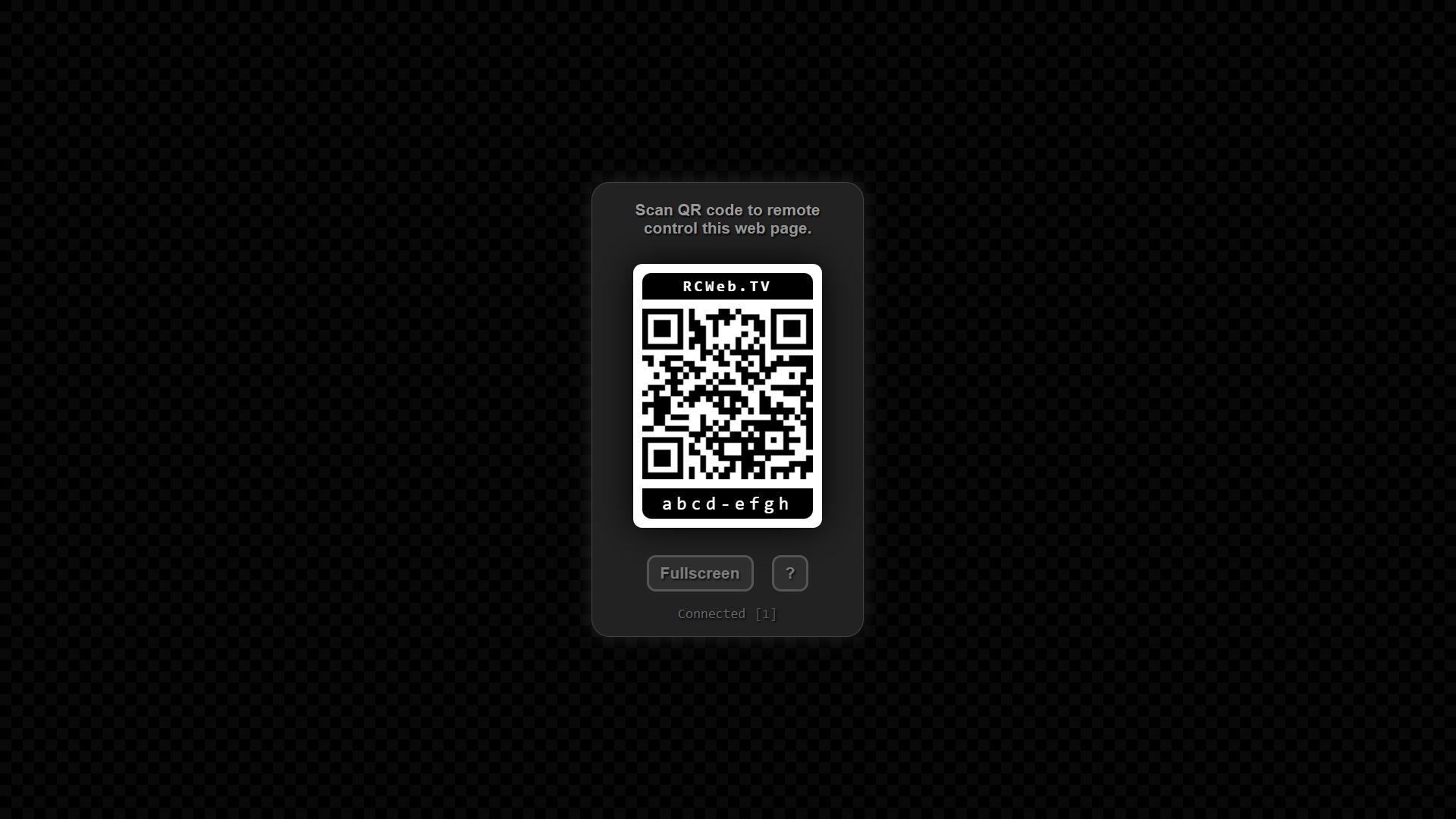
This app acts as the default "blank canvas" for an RCWeb room. When you first open it, it displays a welcome screen with a QR code. When someone scans the QR code with their phone, they are instantly connected as a controller and can start pushing content to the screen.
The viewer itself is passive—it simply listens for JavaScript payloads sent by the remote controller over the WebSocket connection and executes them. This allows the controller to instantly change the screen to a solid color, display images or videos, embed websites, render raw HTML, or even redirect the viewer to a completely different RCWeb application (like a game or collaboration tool).
How to use
- Open
/v/(or/v/?r=<room>) on the device you want to use as your shared display (e.g., a TV or laptop connected to a projector). - The screen will show a QR code and a room connection status.
- Use a smartphone or tablet to scan the QR code. This will automatically open the Remote Controller (
v-c) app on your device, joined to the exact same room. - From the mobile controller, you can now push media, web embeds, or launch other apps directly onto the shared display.
- If the viewer is idle for a long period, its UI will slowly drift around the screen to prevent screen burn-in.
Viewer features
- Dynamic Payload Execution: Silently listens for and evaluates JavaScript payloads sent by controllers in real-time.
- Auto-Routing: Generates a QR code linking directly to the companion controller (
v-c) for its specific room. Also ensures any stray controller apps attempting to run as a viewer get redirected to their proper control interface. - State Feedback: Displays real-time WebSocket connection status and the number of active clients currently in the room.
- Burn-in Protection: Implements a gentle screensaver that subtly shifts the position of the informational overlay during long periods of inactivity to protect unattended displays.
- Fullscreen Mode: Includes a manual fullscreen toggle button to maximize the display area.
- Many-to-Many Control: Supports an unlimited number of viewer apps and controller apps in the same room simultaneously, keeping them all in sync.
How RCWeb makes it possible
The viewer relies on the core comms.js library to establish a WebSocket connection and listen for incoming messages addressed to it. When the controller app sends a raw JavaScript string targeting the viewer (using rc.send(js, "v")), the core library intercepts the message and evaluates the script within the context of the viewer's browser window.
This mechanism allows the controller to completely manipulate the viewer's Document Object Model (DOM), inject new CSS, load external media, or change window.location.href to launch entirely different RCWeb apps without requiring a traditional backend server to mediate the content.
After successfully executing the payload (or if an error occurs), the viewer uses rc.onUpdateSuccess or rc.onUpdateError to send an acknowledgment message back to the controller, confirming that the action was completed.
Related app
Use this app with the RCWeb Remote Controller (app/v-c).