RCWeb Drums App
The RCWeb Drums App (app/drums) is a real-time collaborative drum machine within the RCWeb ecosystem. It demonstrates the Symmetric Pattern, allowing multiple users in the same virtual room to simultaneously view and edit a shared 16-step sequencer.

Screenshot
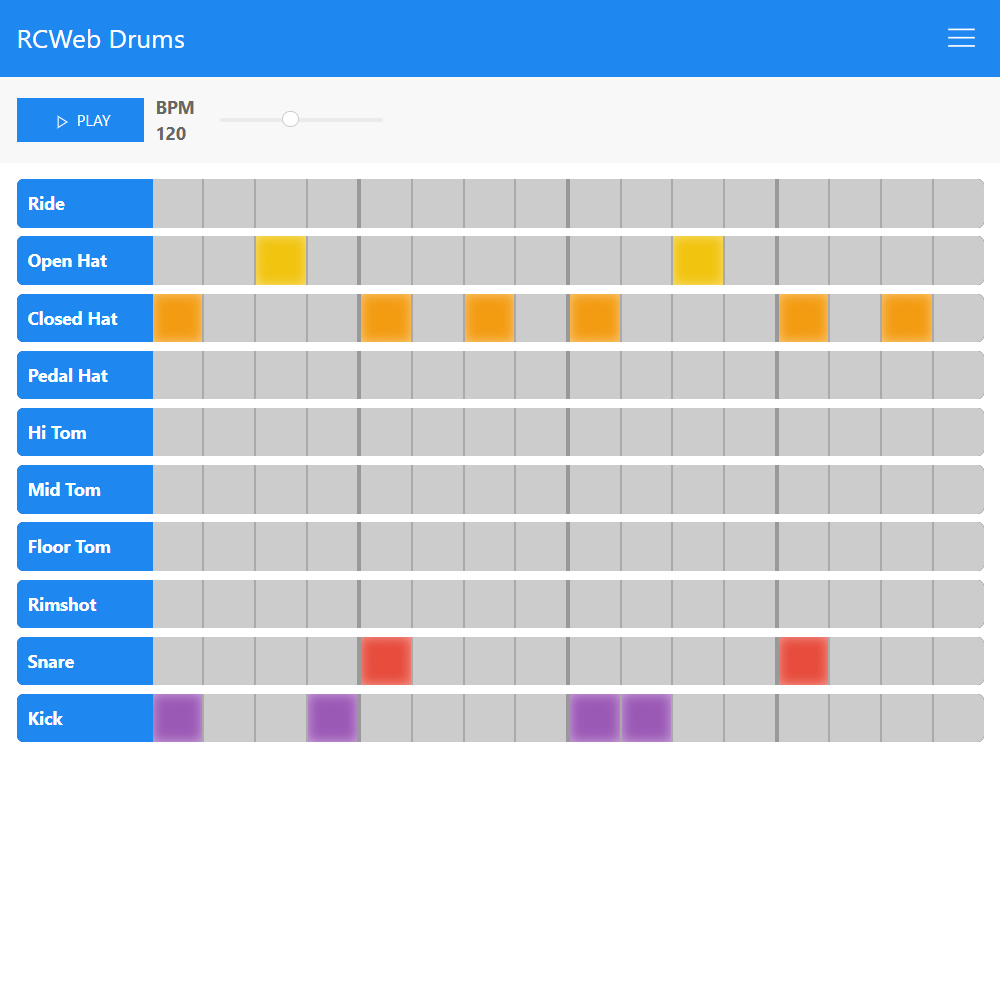
What it does
- Real-Time Collaborative Sequencer: Provides a 16-step, 10-instrument drum grid. When anyone toggles a cell or adjusts the BPM, it instantly syncs across all connected users in the room.
- Shared State & Discovery: Changes to the pattern are broadcasted continuously. New participants who join automatically announce their presence and receive a comprehensive state payload (grid data, tempo, play status) from existing users.
- Precision Beat Syncing: The app includes a Sync feature to ensure playback starts at the exact same moment across all clients, preventing audio drift during shared listening sessions.
- Split Kit Mode: A unique "Split" mode allows the drum kit instruments to be divided evenly across all connected peers. For example, if two phones are connected, one device handles cymbals while the other plays kicks and snares, turning multiple devices into a single, dispersed drum kit.
- Presets: The app has pre-programmed genre patterns (Rock, Hip Hop, Four on the Floor, etc.) that can instantly overwrite the current sequence for everyone in the room.
How it works
The core logic is structured inside script.js which integrates comms.js with the standard browser Web Audio API.
- Audio Engine and Scheduling: Audio files (.mp3) are pre-fetched via
XMLHttpRequestand decoded intoaudioContext. Playback is precisely managed using a "lookahead" timer (schedulerandscheduleNotemethods) which queues audio sources slightly ahead of real-time to avoid browser-related timing glitches. - Network Actions (Optimistic UI): When a user taps a grid cell (
toggleBeatAndBroadcast), the UI updates locally immediately. The app then invokes a remote function call (rc.sendFunctionCall("drums", "drums.setBeatNetwork", row, col, newState)) which triggers the identical grid update on remote peers. - Latency Measurement & Sync: When "Sync" mode is initiated, the triggering peer sends ping requests (
receivePing/receivePong) to measure the round-trip latency of all connected clients. It calculates the maximum delay and issues a delayed start command (remotePlay(waitTime)) so that devices further away start immediately while local devices wait, aligning the first beat. - Split Mode Logic: The
handleClientUpdate()block maintains an alphabetically-sorted list of peers (connectedPeers). When an audio note triggers,scheduleNotechecks if(instrumentIndex % N === myIndex)(where N is the number of users). If true, the note plays on the local device; otherwise, it is skipped.