RCWeb Files Pro
The RCWeb Files Pro App (app/files-pro) is the enhanced, professional-grade version of the standard Files application within the RCWeb ecosystem. It builds upon the Symmetric Pattern to provide real-time, peer-to-peer file sharing while introducing powerful monitoring, analytics, and media preview capabilities.

Screenshot
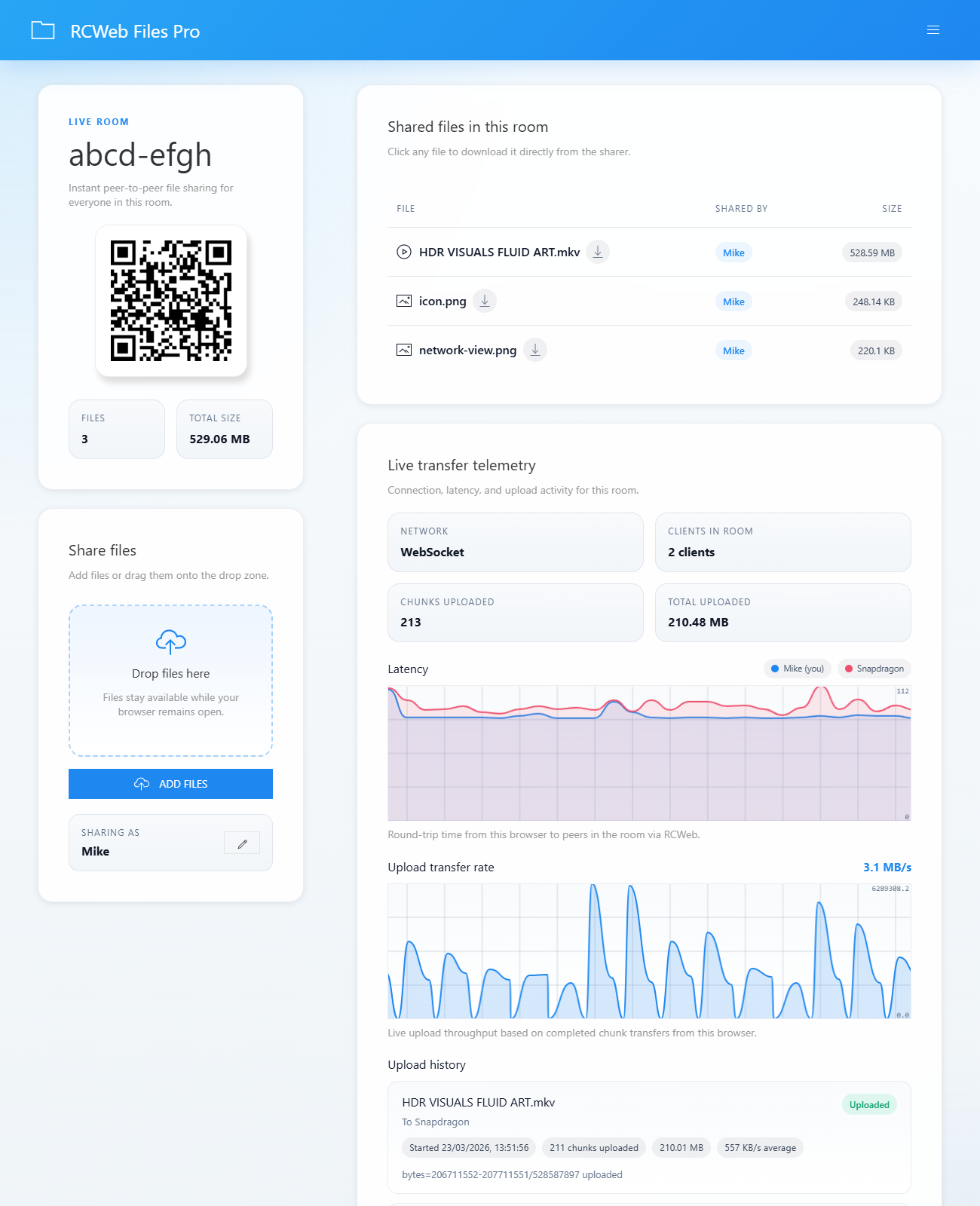
What it does
- Instant Peer-to-Peer Sharing: Drag and drop large files to instantly share them natively with all participants in the virtual room, without needing to upload full files to a central repository.
- Advanced Network Monitoring: Features real-time graphical charts that meticulously visualize network upload data rates and peer-to-peer ping latency.
- Upload History Tracking: Keeps a detailed local ledger of which peers requested file segments, aggregating transferred chunk counts, data volumes, and average transmission speeds.
- Integrated Media Previews: Integrates seamlessly with UIkit Lightbox panels, empowering users to immediately preview shared images or stream and seek within shared videos directly inside the browser.
- Dynamic Presence Logging: Maintains a visual legend tracking all connected peers by customizable display names, color-coding them to match their corresponding latency lines on the charts.
How it works
The Pro version augments the foundational comms.js transport logic with sophisticated polling, rate sampling, and rendering subsystems within script.js.
- Enhanced Identity & Polling: The app utilizes
broadcastPing()andreceiveHelloReply()on a dedicatedPOLL_INTERVAL_MSloop to discover and mapconnectedPeers. It assigns a distinct UI color to each discovered client and graphs their round-trip latency (latencyLines[clientId]) using the externalSmoothieChartlibrary. - Chunk Tracking Engine: When a remote user attempts to download a file or stream a video, they trigger
rc.sendFileChunk(fileId, start, url). This initiatessendChunk(), which issues an HTTP PUT request and precisely records the metrics into anuploadHistoryledger. Completed requests update the globalbytesUploadedcounter to fuel thesampleUploadRate()line chart drawing cycle. - Advanced Media Architecture: The file table intelligently evaluates the
contentTypeproperty of shared files. The rendering engine creates specialized interaction links (<a class="file-link media-link">). Clicking these firespreviewMedia(...), which mounts a dynamicUIkit.lightboxPanelfeeding the chunk-proxy URL to native video tags supporting instant playback and seeking. - State Synchronization & Cleanup: To prevent memory leaks and stale data, the app maintains an automated
cleanupPeers()interval block. It gracefully evicts dormant connections that fail to respond within theCLIENT_TIMEOUT_MSwindow, guaranteeing that visual legends and analytical graphs accurately reflect only the live room participants.